
A child theme in WordPress is a theme that inherits the functionality, features, and styling of another theme, called the parent theme. In this case, Listify is the parent theme.
Why Use a Child Theme?
- Safe Customization – You can make changes to your theme without affecting the original files.
- Update Protection – When the parent theme (Listify) is updated, your customizations in the child theme are preserved.
- Flexibility – Add custom CSS, modify templates, or create new PHP functions without interfering with core theme files.
How to Create a Child Theme Automatically
Listify makes it easy to generate a child theme through the included setup guide. Follow these steps:
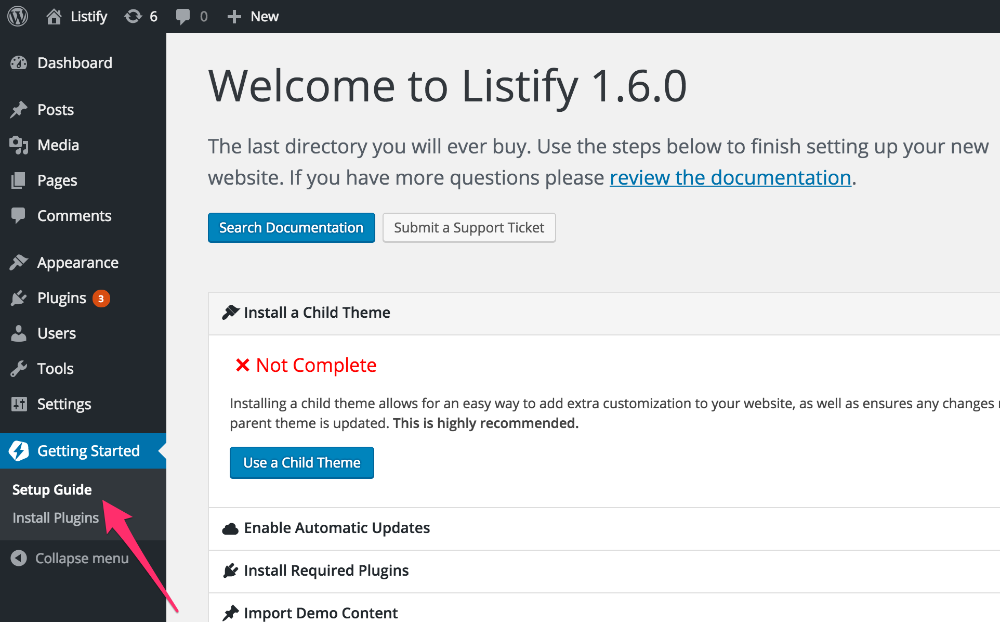
- Go to your WordPress dashboard and navigate to Getting Started ▸ Setup Guide.
- Click on “Use a Child Theme”.
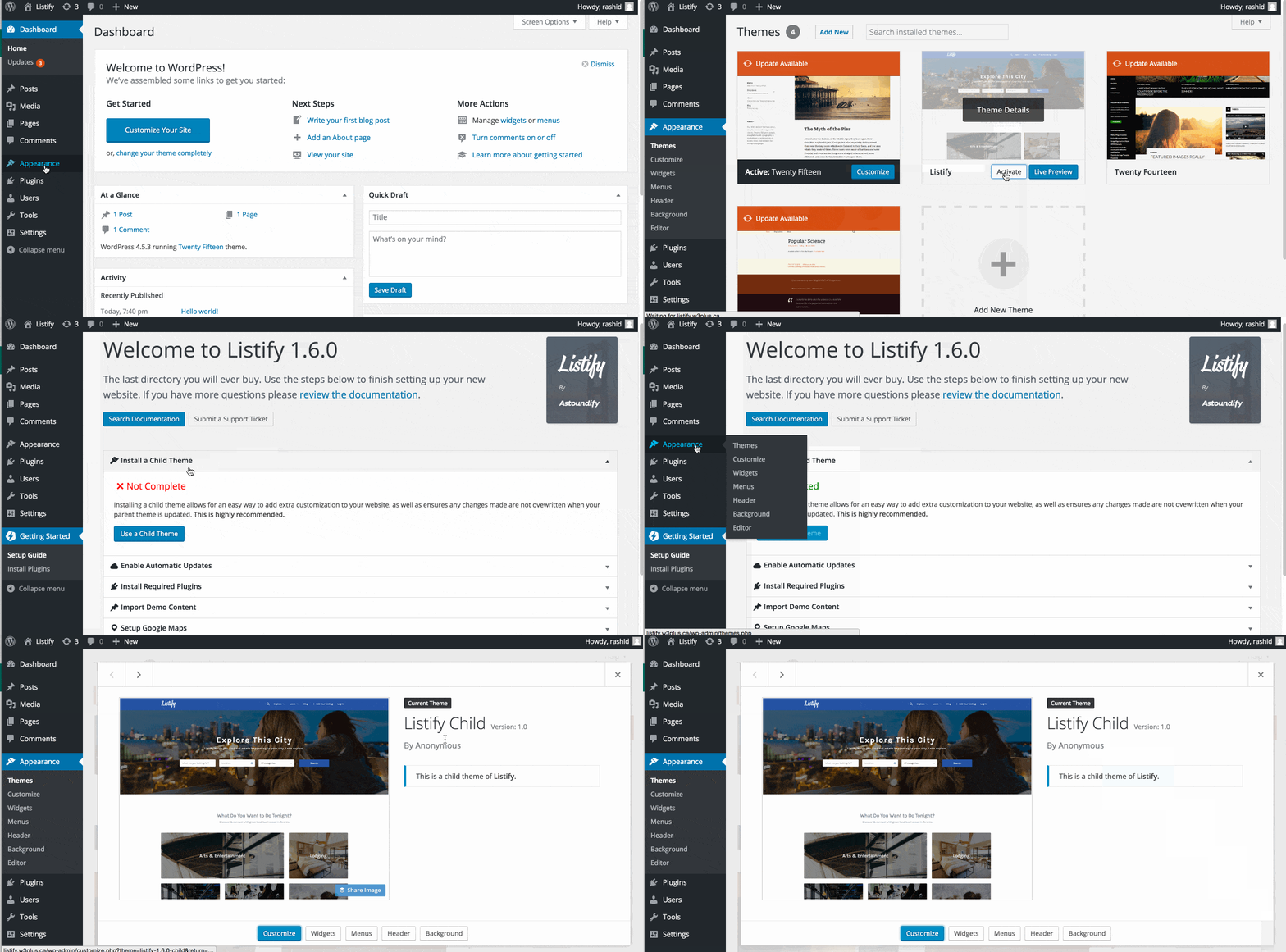
That’s it! You now have a fully functional child theme activated and ready to use for your Listify-based website.
Manual Installation Option
If you prefer to manually install the child theme or want a clean starting point, you can download our official child theme from GitHub:
Once downloaded:
- Navigate to Appearance ▸ Themes ▸ Add New ▸ Upload Theme.
- Upload the ZIP file and activate the child theme.
Need to Customize Further?
Once the child theme is active, you can:
- Add custom styles in
style.css - Add or override functions in
functions.php - Copy template files from the parent theme into the child theme folder to override them